Showing posts with label Python. Show all posts

Thursday, 10 October 2013

How to make Python First Programme

                First programme in Python

In My views Python is simplest language to enter in the Programming World.
It has very simple Syntax ,there is no semicolon and brackets are Required.

And also you should have to remember that Python is fully "Object Oriented" and a strong and Powerful language . In Linux python is already installed and
Window users see here to see how to install and compile.

now lets started with its First Programme .

Type Python on terminal(for linux users)

root@bt:~#python
print "Hello kushagra"
Hello kushagra
2+8
10
a=2
b=8
c=a+b
print c
10
Eh! Easy naa :)

Now we should start by writing scripts in Python .

open any text Editor and just write

print "Hello Kushagra"

and save it as Hello.py on Desktop
now open your terminal by cd command go to your Desktop

output:
root@bt:~#cd Desktop
root@bt:~/Desktop# python Hello.py
Hello Kushagra
root@bt:~/Desktop#
Happy programming .

Friday, 13 September 2013

How to implement If condition in python

                                                  If Statement


If condition is used to decision making ,so if statement is also know selection statement


Syntax:


if  condition :
  Statement ;
else:
  Statement;


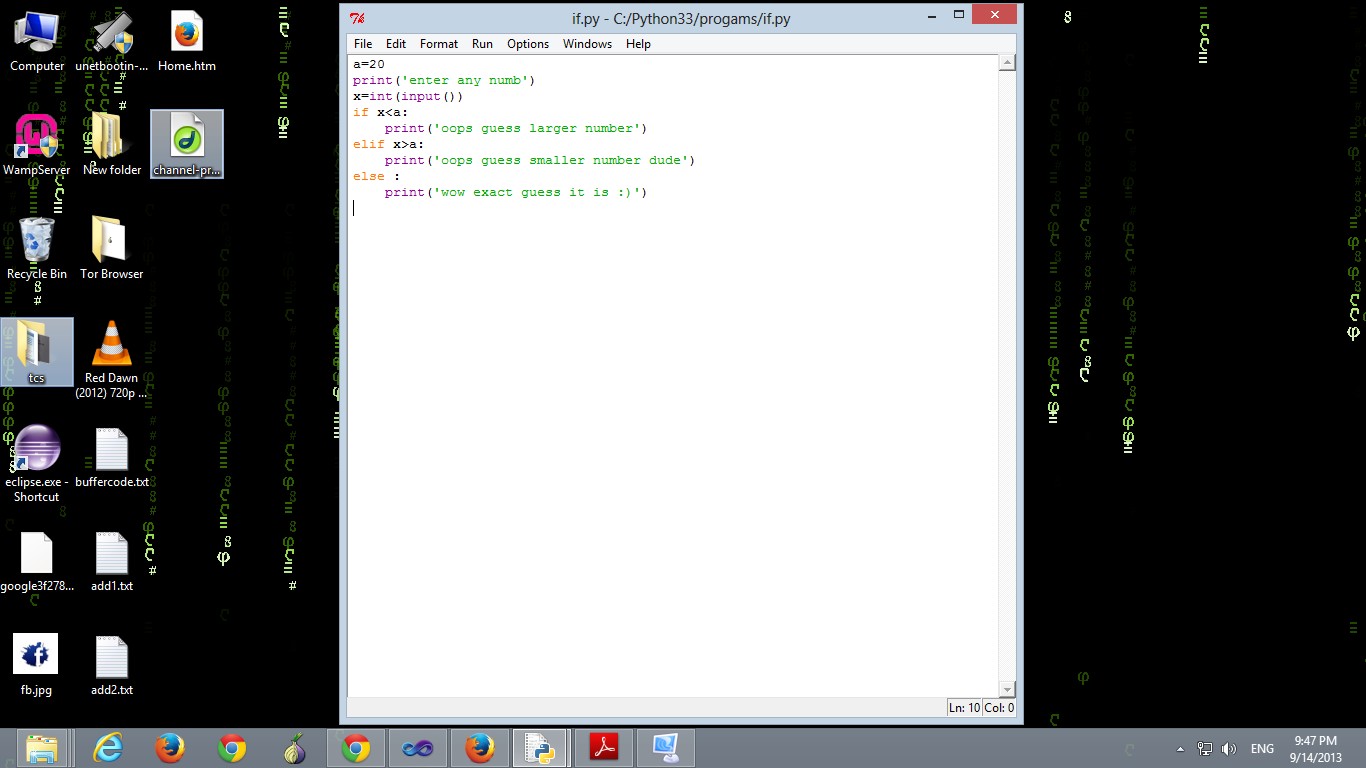
Programme:


a=20
print('enter any numb')
x=int(input())
if x
    print('oops guess larger number')
elif x>a:
    print('oops guess smaller number dude')
else :
    print('wow exact guess it is :)')


Output:


>>> ================================ RESTART ================================

>>> 

enter any numb

5
oops guess larger number
>>> ================================ RESTART ================================
>>> 
enter any numb
20
wow exact guess it is :)
>>> ================================ RESTART ================================
>>> 
enter any numb
25
oops guess smaller number dude
>>> 

How to use File Action in Python

The below code begins by open a new txt file for O/P and write a lines  and close the file

Code:Write txt in file

>>>file=open(file.txt','w')
>>>file.write('hello python\n')
12
>>>file.write('python is programme best language')
33
>>>file.close()

Code :read txt in the file

>>>file=open('file.txt')
>>>file.readline()

'hello python\n'

>>file.readline()

'python is programme best language'

Read all at once string

>>>open('file.txt').read()

Output:

'hello python\npython is programme best language'    //output is in friendly so we use

>>>print (open('file.txt').read())

hello python
python is programme best language                  //user-friendly display

If you want to scan a txt file line by line

>>>for line in open('file'):
...        print(line, end= ' ')

hello python
python is programme best language


Thursday, 29 August 2013

How to install Python Compiler

Installation guide for Python Compiler


Here is how to download and install python command shell/compiler .It is the first post of python for you, you can start Beginning of python from here.
After that we  will start Advance Python programme  in further posts.
If you want to start with other languages click here.


start your first programme of Python from here